🗑️ Waste Management Overview
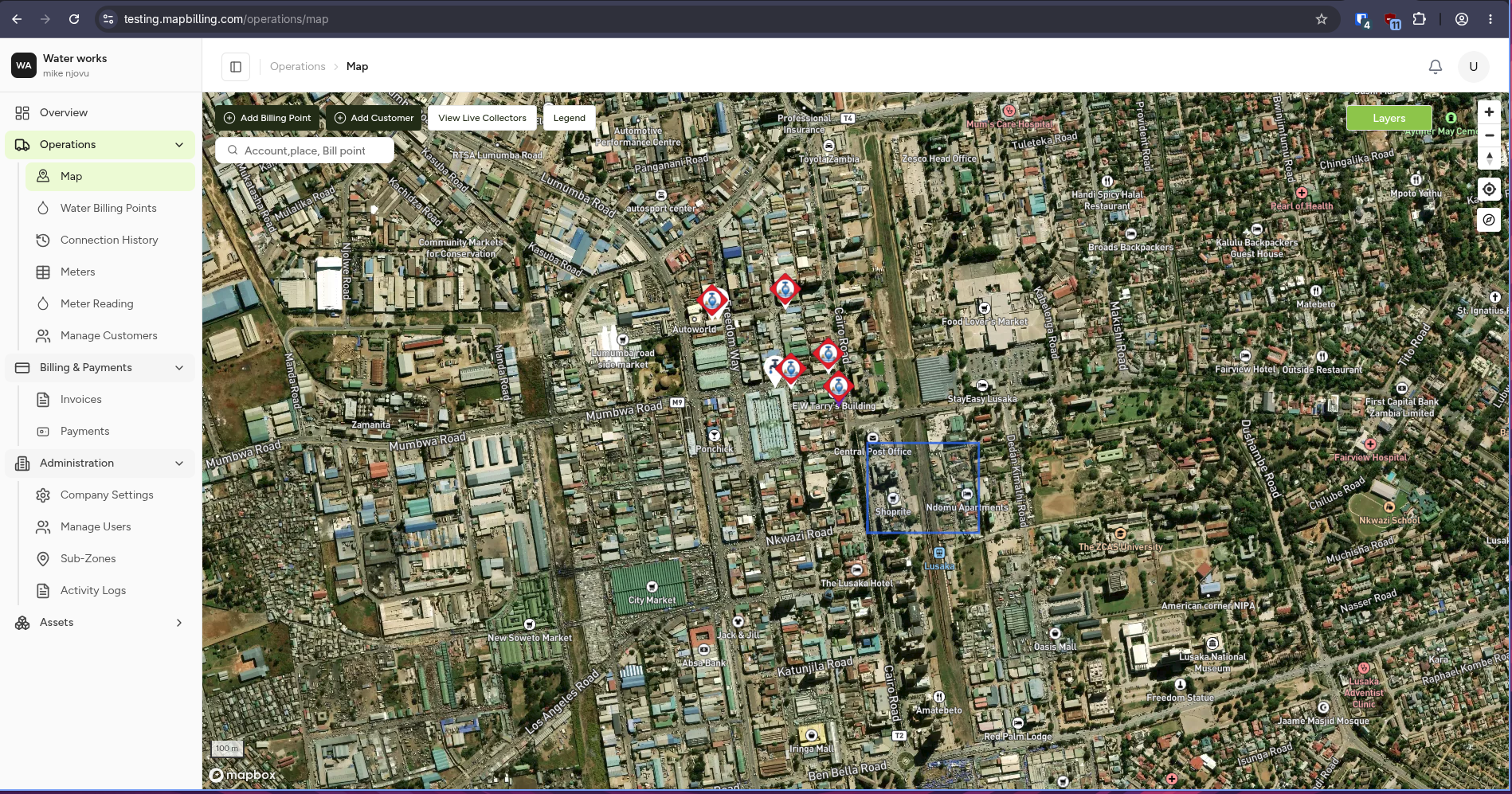
The Waste Management module helps organizations plan, monitor, and manage the complete waste collection process.
From collection routes to customer billing, every activity is connected to real-world locations through the MapBilling platform.
🌍 What is Waste Management?
Waste Management is responsible for ensuring that waste is collected efficiently, assets are maintained, and services are delivered according to schedule.
The module combines mapping, operational planning, field activities, customer management, and reporting into one integrated system.
🎯 Objectives
The Waste Management module helps your organization:
- Improve collection efficiency
- Monitor field operations
- Track waste assets
- Reduce missed collections
- Improve customer service
- Support accurate billing
- Provide operational insights
🏗️ Module Overview
The module is made up of several connected areas.
Waste Management

├── Dashboard
├── Assets
├── Collection Routes
├── Collection Operations
├── Vehicles
├── Field Workers
├── Customers
├── Billing
├── Reports
└── Administration
Each section supports a different part of the waste collection process.
🗺️ How Everything Connects
flowchart LR

A[Customers]
--> B[Service Areas]

B --> C[Collection Routes]

C --> D[Field Operations]

D --> E[Collection Records]

E --> F[Billing]

F --> G[Reports & Analytics]
Every operation begins with a location and ends with reporting and billing.
📍 Core Components
🗺️ Interactive Map
The map displays:
- Collection routes
- Waste bins
- Collection zones
- Vehicles
- Field activities
🚛 Collection Routes
Routes define how collection vehicles move through service areas.
Routes can be:
- Planned
- Active
- Completed
- Suspended
🗑️ Waste Assets
Assets include:
- Waste bins
- Collection points
- Transfer stations
- Vehicles
Each asset has its own location, status, and history.
👷 Field Operations
Field workers use the system to:
- Complete collections
- Report issues
- Update asset information
- Capture photos
- Record observations
💰 Billing
Billing is generated based on the services provided.
Examples include:
- Residential collection
- Commercial collection
- Scheduled services
- Additional pickups
📊 Reporting
Managers can monitor:
- Collection performance
- Missed pickups
- Fleet utilisation
- Service coverage
- Revenue
👥 Who Uses This Module?
| Role | Responsibilities |
|---|---|
| 👷 Field Worker | Complete collections and inspections |
| 🚛 Route Supervisor | Manage collection routes |
| 💰 Billing Officer | Generate and manage invoices |
| 📊 Operations Manager | Monitor KPIs and performance |
| ⚙️ Administrator | Configure users and system settings |
🔄 Typical Process
flowchart LR

A[Plan Route]
--> B[Assign Vehicle]
--> C[Perform Collection]
--> D[Update Records]
--> E[Generate Billing]
--> F[Reports]
📌 Key Features
- 🗺️ GIS-based asset management
- 🚛 Route planning
- 📱 Mobile field operations
- 🗑️ Waste asset tracking
- 💰 Customer billing
- 📊 Reporting & analytics
- 🔔 Notifications
- 📍 Real-time monitoring
💡 What You'll Learn Next
The following pages explain each part of the Waste Management module in detail:
- 📊 Waste Dashboard
- 🗺️ Waste Assets
- 🚛 Collection Routes
- 📱 Collection Operations
- 🚚 Fleet Management
- 💰 Billing
- 📈 Reports